Notify Clinician When First Appointment is Scheduled for a Client
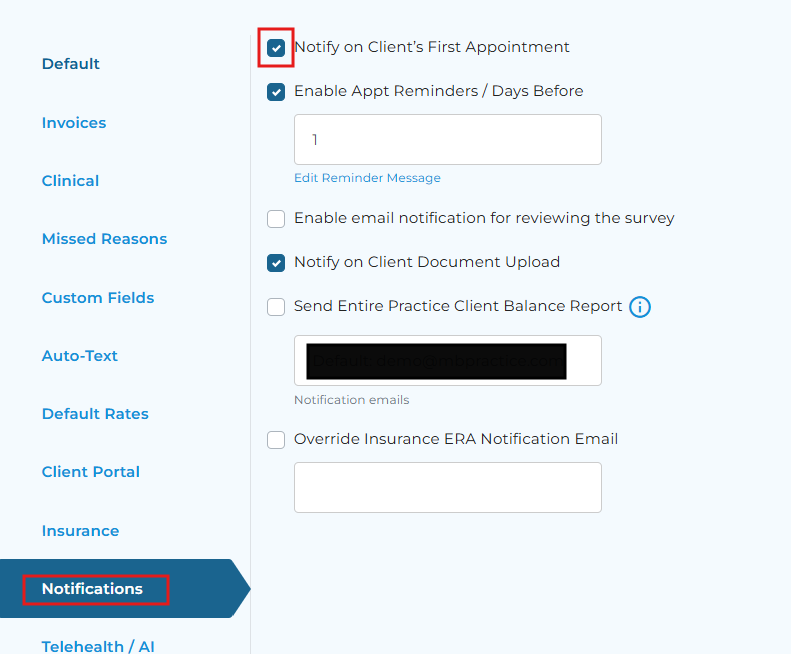
When turned on, the clinician will receive an email notification of a client's first scheduled appointment.
Step 1: Navigate to Settings - Account Settings - Practice Settings.
Step 2: Select the Notifications tab. Then, check-off ‘Notify on Client’s First Appointment.